
Securly Home App for Parents
Available now on iOS and Android. Download links below.
Washingtonville Central School District provides the free Securly Home app so parents and guardians can monitor activity, receive weekly reports, and set reasonable at‑home limits on school‑issued devices.
1. Get Started
- Download Securly Home from your app store (links below).
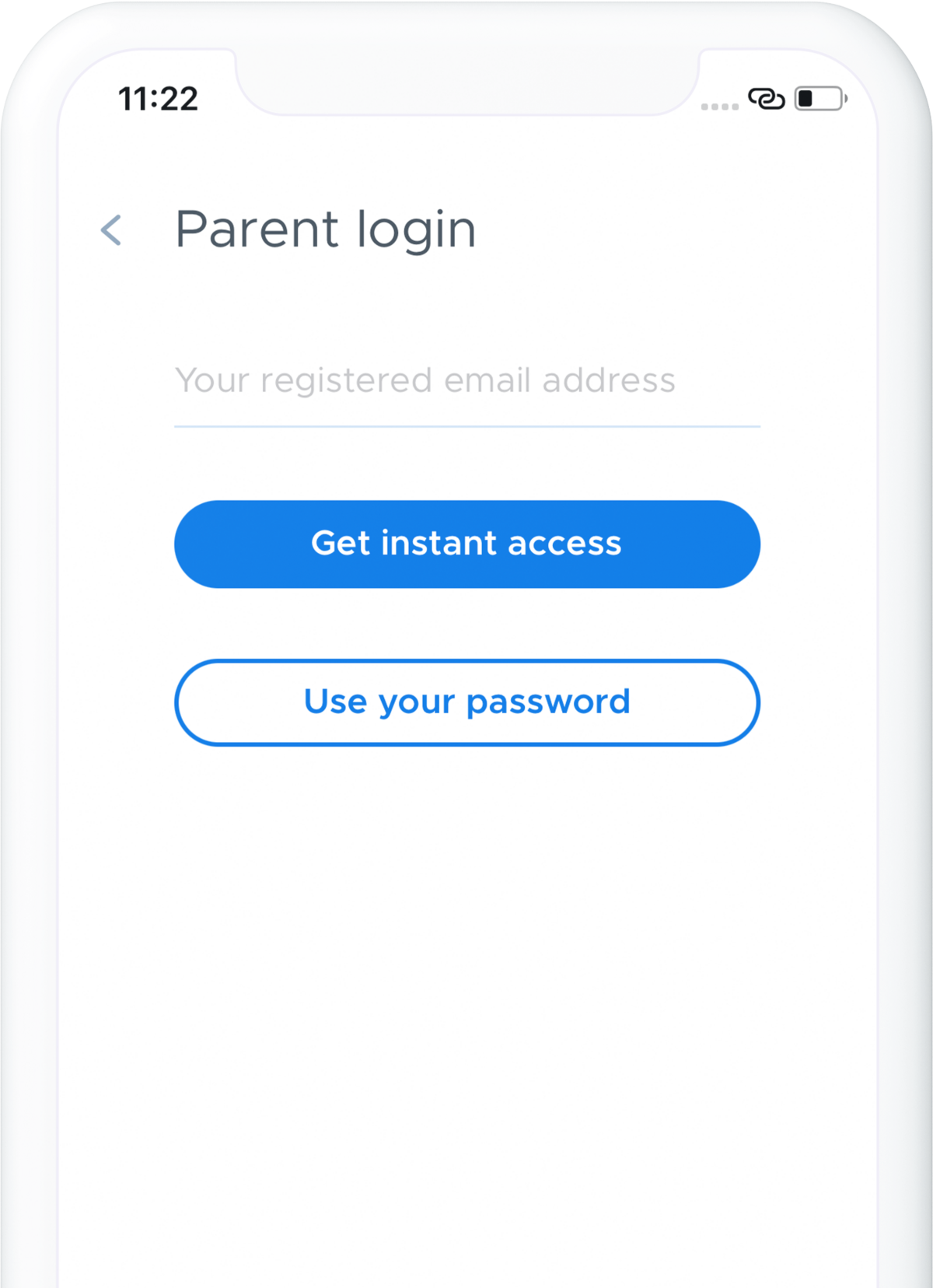
- Open the app, tap Login, choose Get instant access, and enter your school‑registered email.
- Check your inbox for the Securly login link and tap to sign in.


2. Key Features
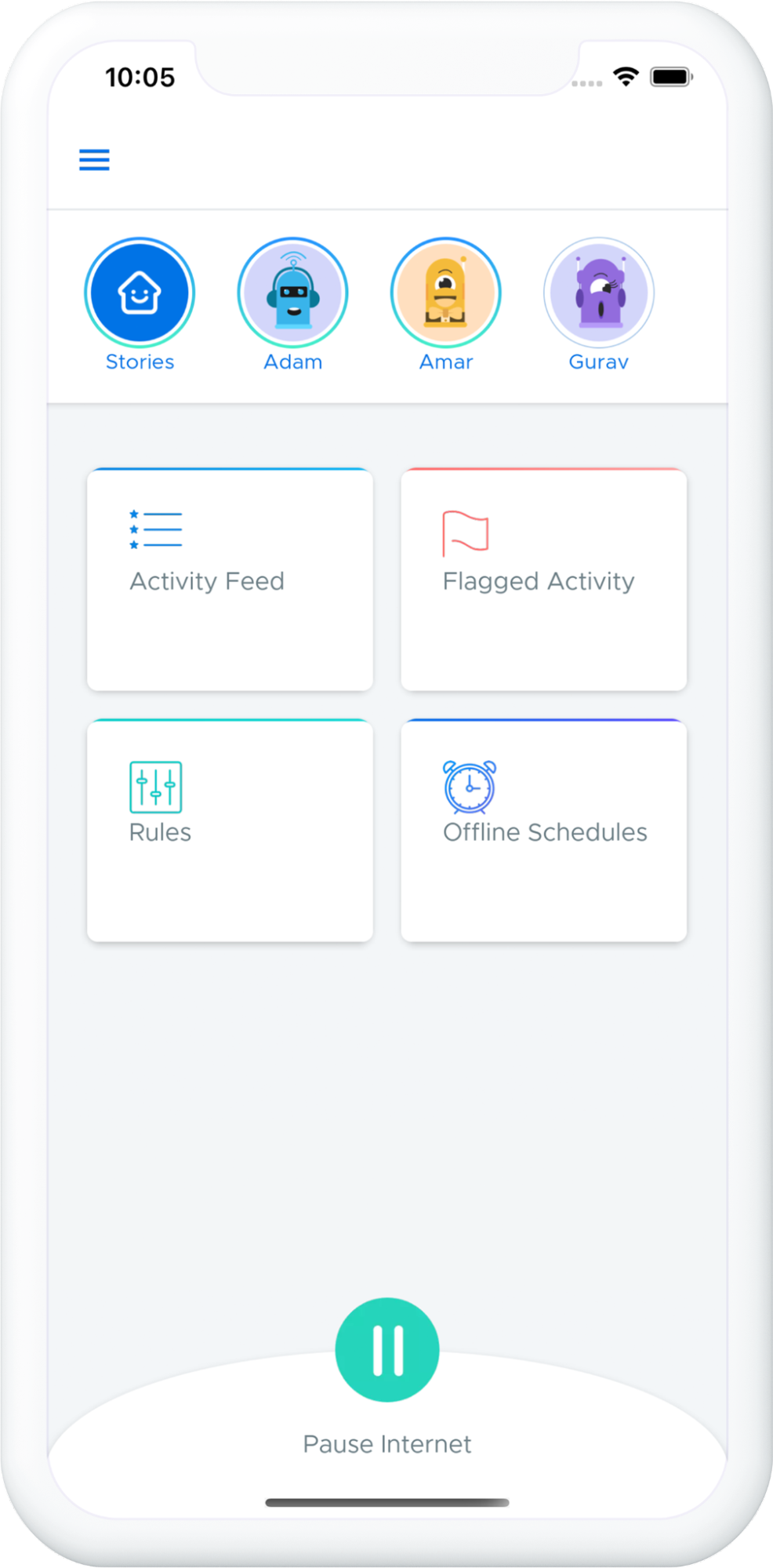
1. Real‑time Activity Feed
See what your child is viewing online and review recent sites and searches.
2. Flagged Activity Alerts
Get notifications for searches/sites that may indicate bullying, self‑harm, or violence.
3. Stories
Daily highlights summarizing recent activity in a quick, scrollable view.
4. Rules
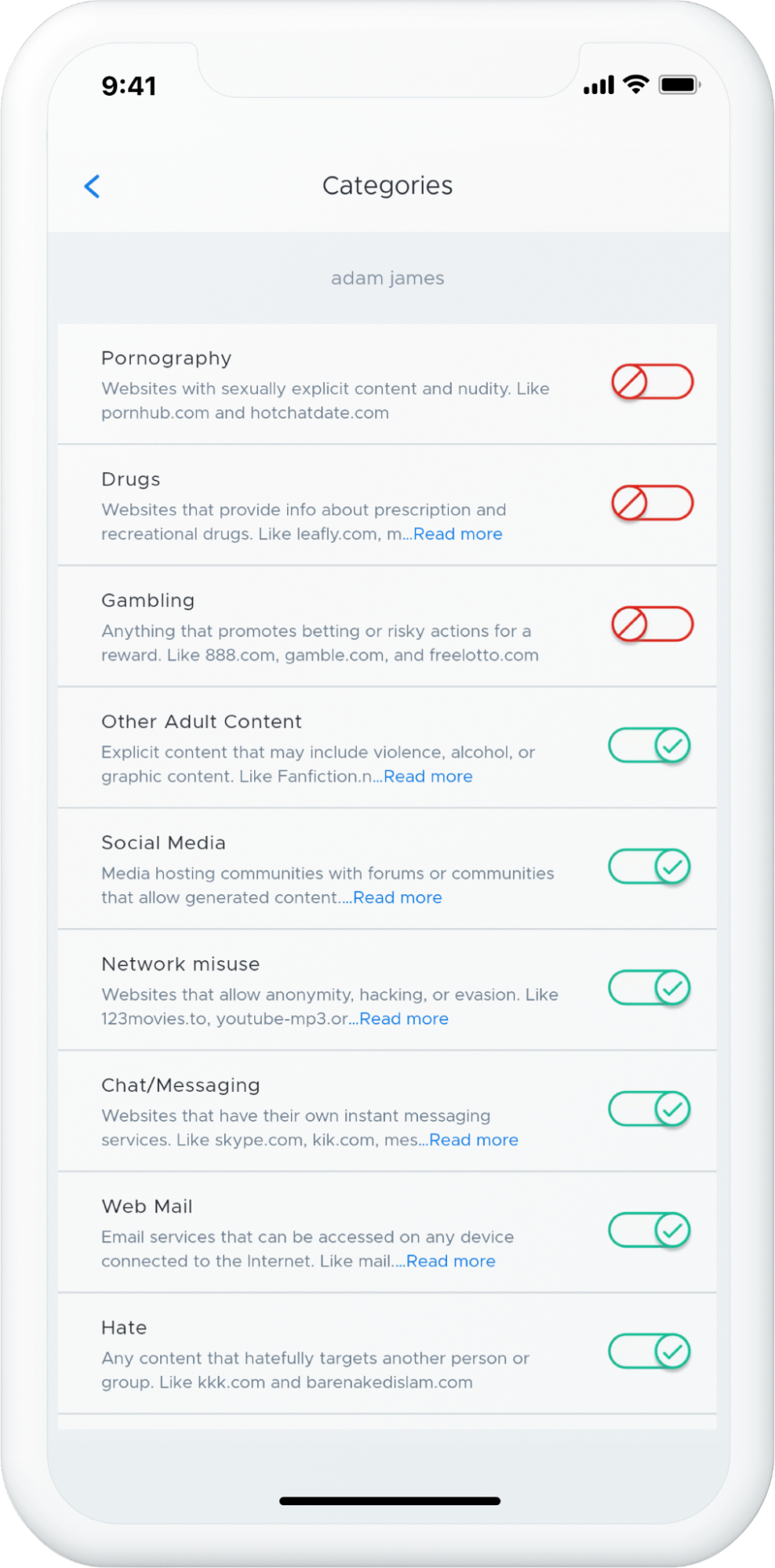
Block categories or specific sites; enable Safe Search and YouTube Restricted Mode.
5. Offline Schedules
Set times (e.g., dinner, bedtime) when internet access is automatically turned off.
6. Pause Internet
Toggle internet access on school devices when they are at home.
3. FAQs
Why can’t I see any activity?
Your view may be limited to at‑home use. Activity will appear when the device is used off campus. If this seems incorrect, contact the district.
I didn’t get an email from Securly. What should I do?
Allow 24–48 hours after registration and check your Spam/Junk folder. Still nothing? Email homesupport@securly.com.
Can I add another parent/guardian email?
For security, only the school can register guardian emails. Please contact your school office to request changes.
What data is collected?
On school‑managed devices, Securly records browsing, searches, YouTube viewing, and (if allowed) select social media posts for safety monitoring—in school and at home.
4. Help & Support
Email homesupport@securly.com or reach out to the WCSD Help Desk for assistance.
Washingtonville Central School District • Technology Department